GST billing & POS for every shop

Simple Billing Software for Shops. So simple, it feels like a calculator.

Type the item. Take the money. Print or WhatsApp the GST bill. One billing app on your phone, a tablet or the counter computer. Watch a real bill below.

3 days free · no card needed Phone, tablet or computer Tamil & English
saas.vinfoz.com Step 1 of 8
Sign up
Shop name, mobile number, password. 3 days free, no card needed.
Step by step

How to start billing in Vinfoz

From sign-up to the day's sales: the same eight steps as the video above, written out.

  1. 1

    Sign up with your shop name and mobile number

    Choose Inventory / Retail, type your shop name, mobile number and a password, and press Start free trial. Your billing software is ready in seconds with 3 days free and no card.

  2. 2

    Add your items

    Open Items, press Add Item and choose Stock. Type the item name, pick a unit (type a new one like Pcs or Kg and add it on the spot) and set the GST rate.

  3. 3

    Set the price and opening stock

    Save + Opening Stock opens one small window: quantity in hand, purchase cost and selling price. That is all Vinfoz needs to bill the item and track its stock.

  4. 4

    Start a bill on the POS screen

    Open POS. Type two or three letters of the item and the matching items appear with their price. Press Enter and the item is on the bill. Prefer a barcode scanner? Switch Quick add to Barcode and scan.

  5. 5

    Add every item with the keyboard

    Type, Enter, quantity, Enter. Each line shows its rate, discount and GST, and the payable total updates as you go, written in words too.

  6. 6

    Take payment, cash or GPay

    Press Save and the payment window opens. Split between Cash in Hand and GPay, or give credit with Credit Bill. Type the cash the customer gave and Vinfoz shows the change to return.

  7. 7

    Print the GST invoice

    Choose Thermal 3" or A5 and print. The invoice carries your shop name, bill number, items, CGST and SGST, and the total. You can also share it on WhatsApp.

  8. 8

    Check the day's sales

    The dashboard shows today's sales, cash in hand, items sold, stock value and GST payable, updated with every bill.

Full demo · 5 minutes

Watch a whole business day on Vinfoz

Sakthi Stores, from registration to collecting a credit payment: items, stock, GST invoice, supplier and customer credit.

Chapters inside · Open on YouTube
Mobile billing

A billing app on your phone.
Four screens, one bill.

No computer at the counter? Bill from Vinfoz Tap on any phone. These are the actual screens.

1

Tap the item

Every item is a tile with its photo, price and stock. Tap once for one, twice for two. The total at the top keeps up.
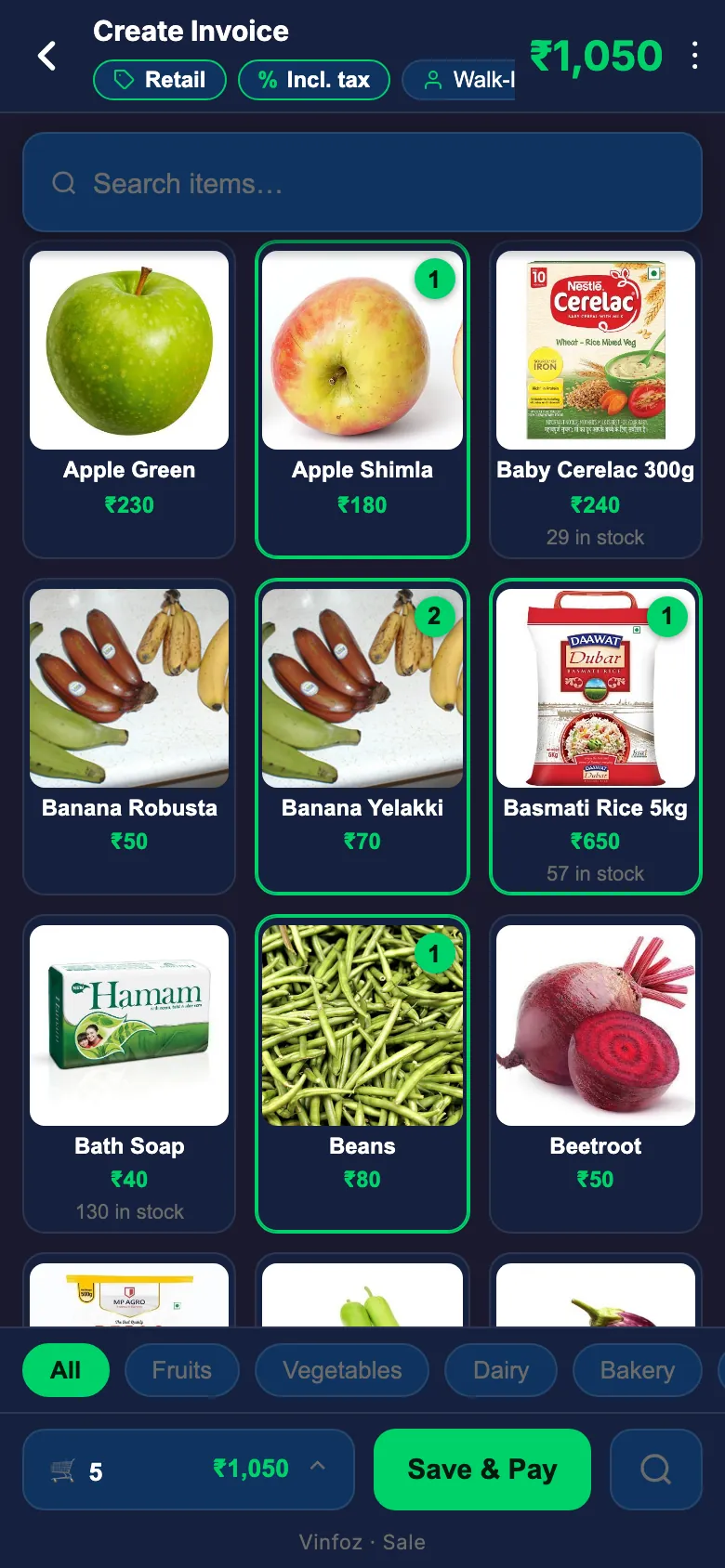
Tap the item — Vinfoz Tap screen
2

Check the bill

Open the cart to change a quantity with + and −, or give a discount. The total is always in front of you.
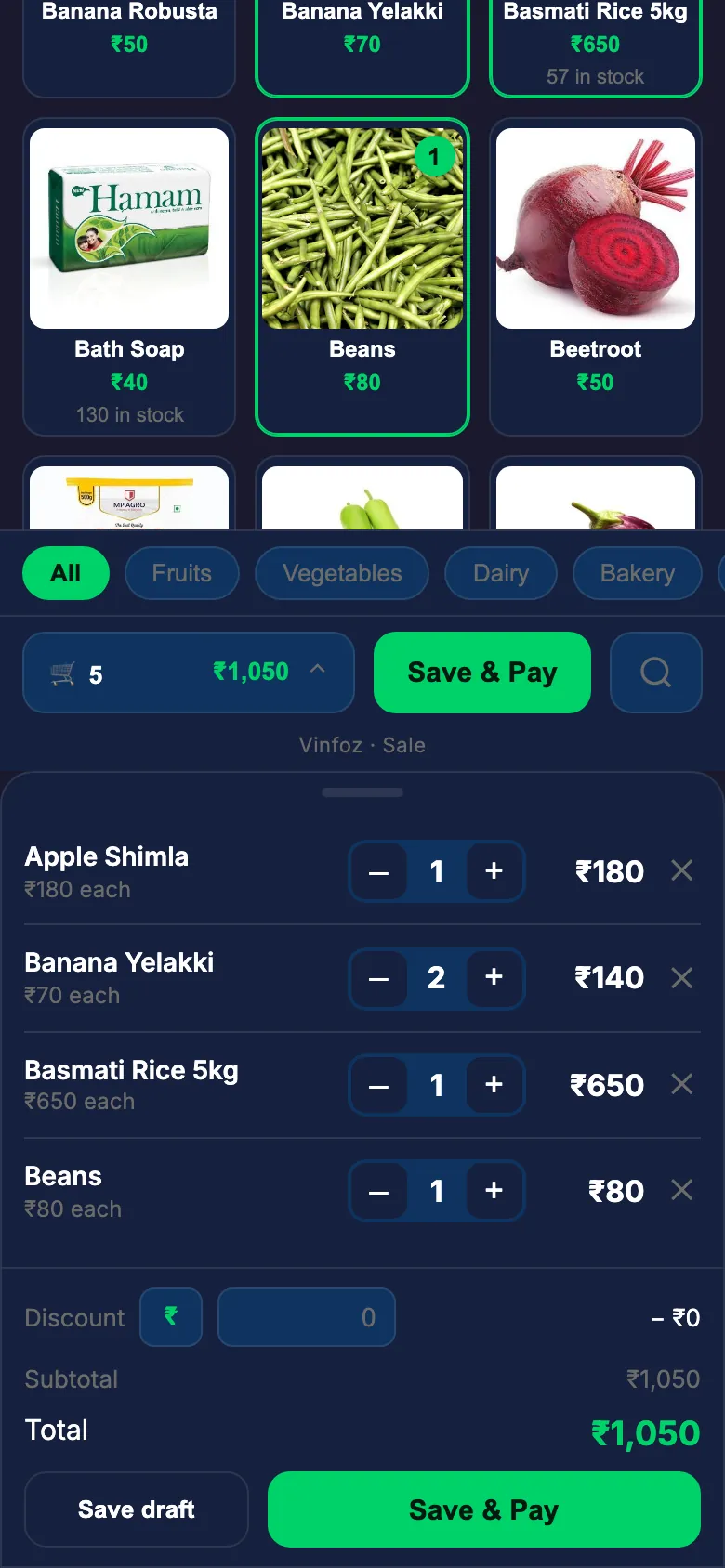
Check the bill — Vinfoz Tap screen
3

Take the money

Pick Cash or GPay and type what the customer gave. "Fill Remaining" does it in one tap.
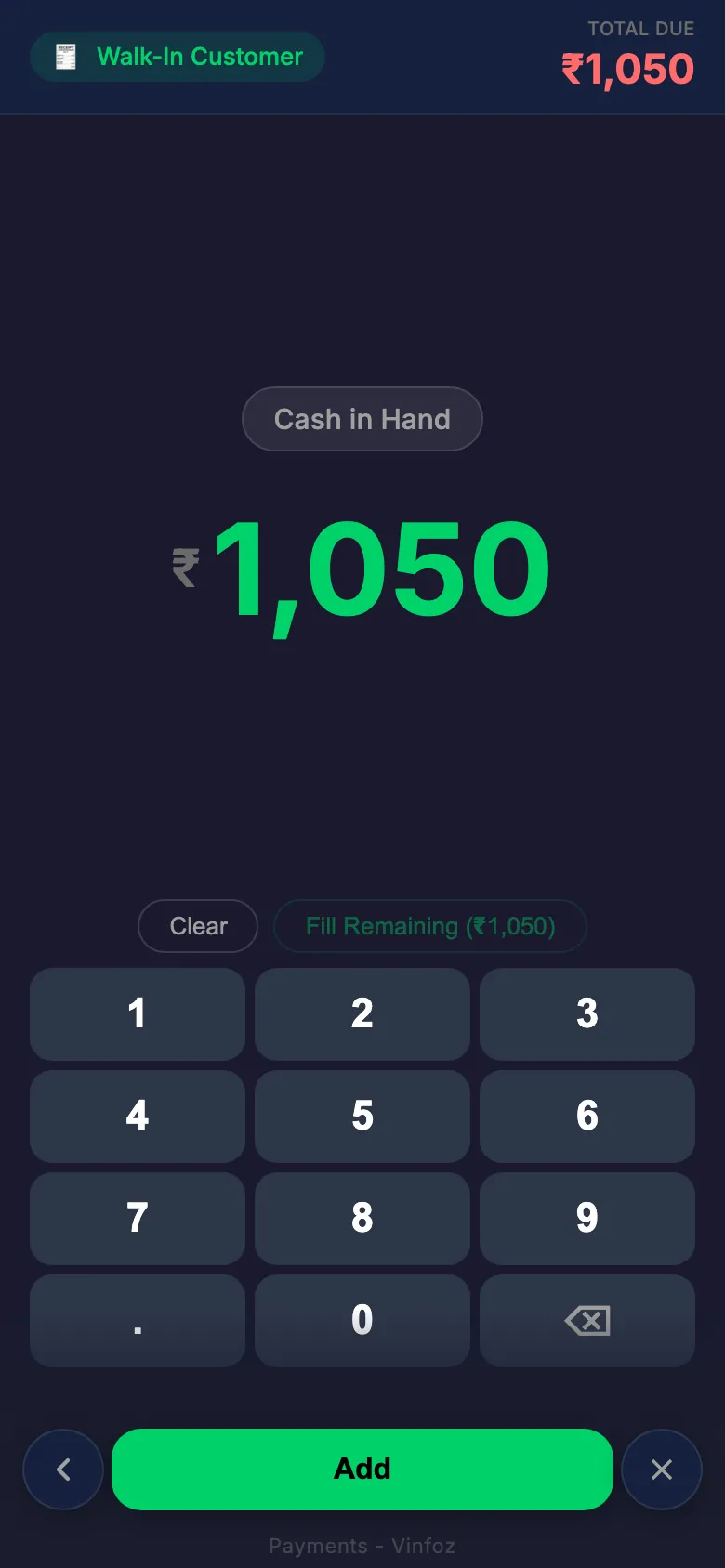
Take the money — Vinfoz Tap screen
4

Hand over the bill

Print a receipt, or share the bill straight to the customer's WhatsApp. Done — next customer.
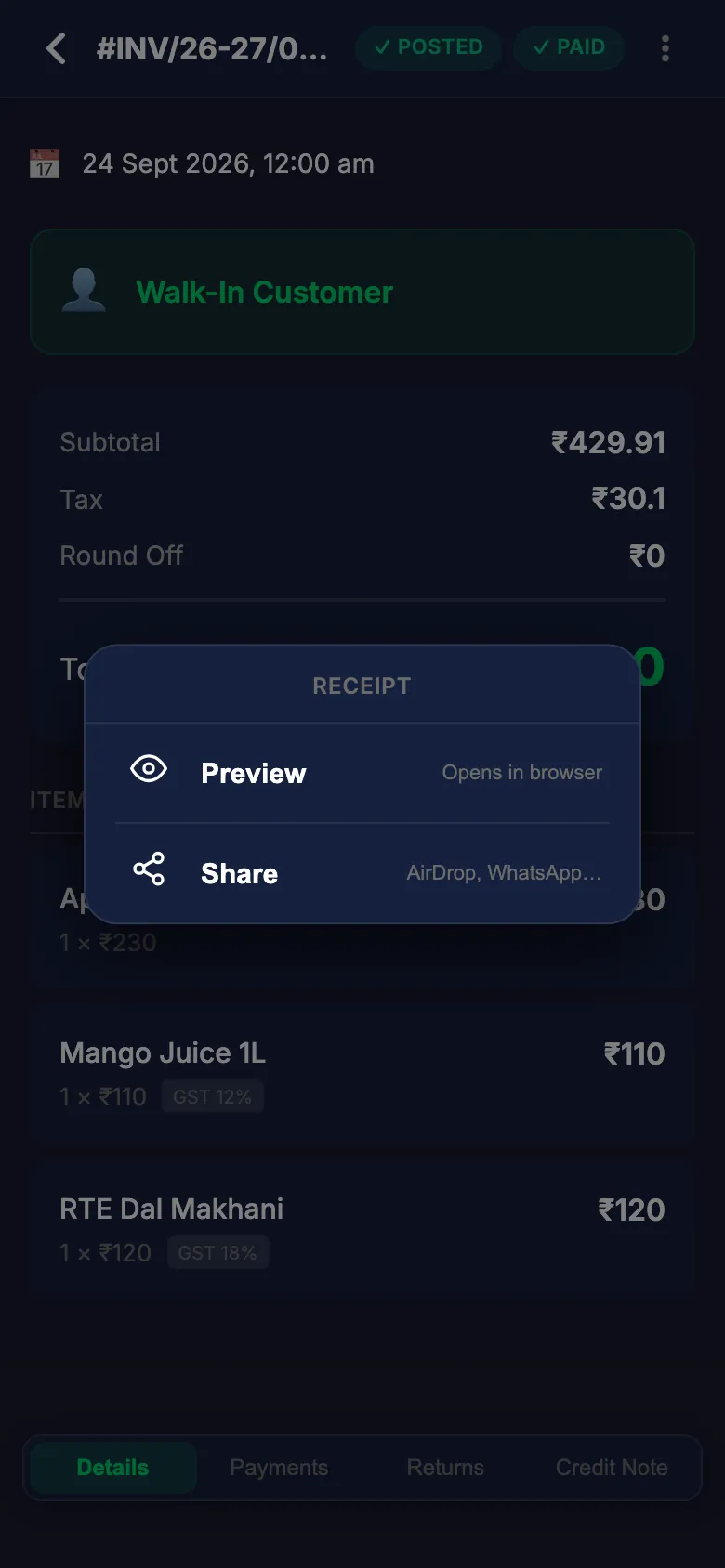
Hand over the bill — Vinfoz Tap screen
POS billing at a busy counter

Keyboard billing. Never touch the mouse.

On a computer, type a few letters and press Enter. Quantity, Enter. Next item. The bill on the right was made exactly like that.

Enter Add the item
F4 Browse all items
F7 Hold this bill, serve the next customer
⌘S Save

Barcode scanner? Switch Quick add to Barcode and scan.

Vinfoz desktop billing: five items, tax worked out per line, payable ₹1,426
After the bill

Every GST invoice, numbered and kept.

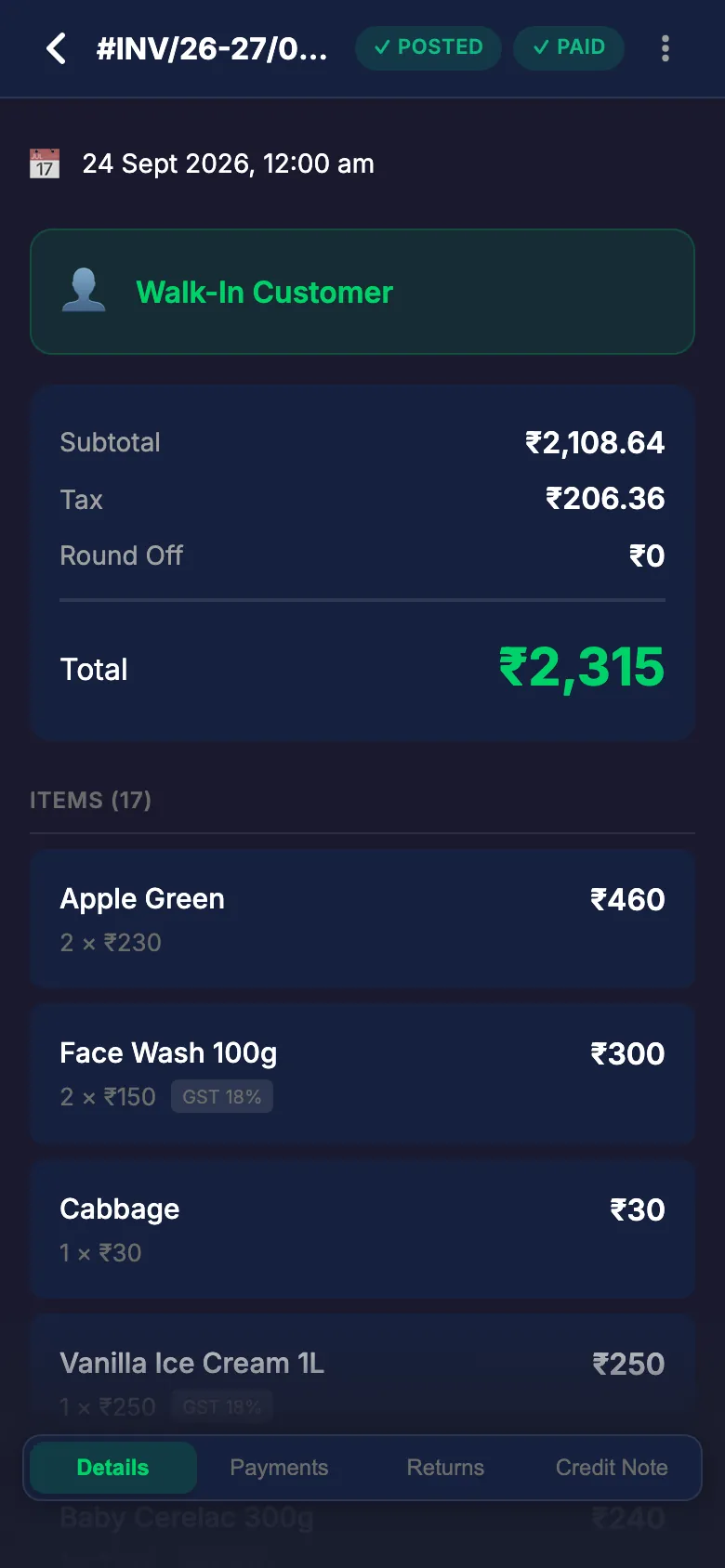
Invoice numbers run in order by financial year. Open any bill later to see what was sold, the GST on each item, and how it was paid.

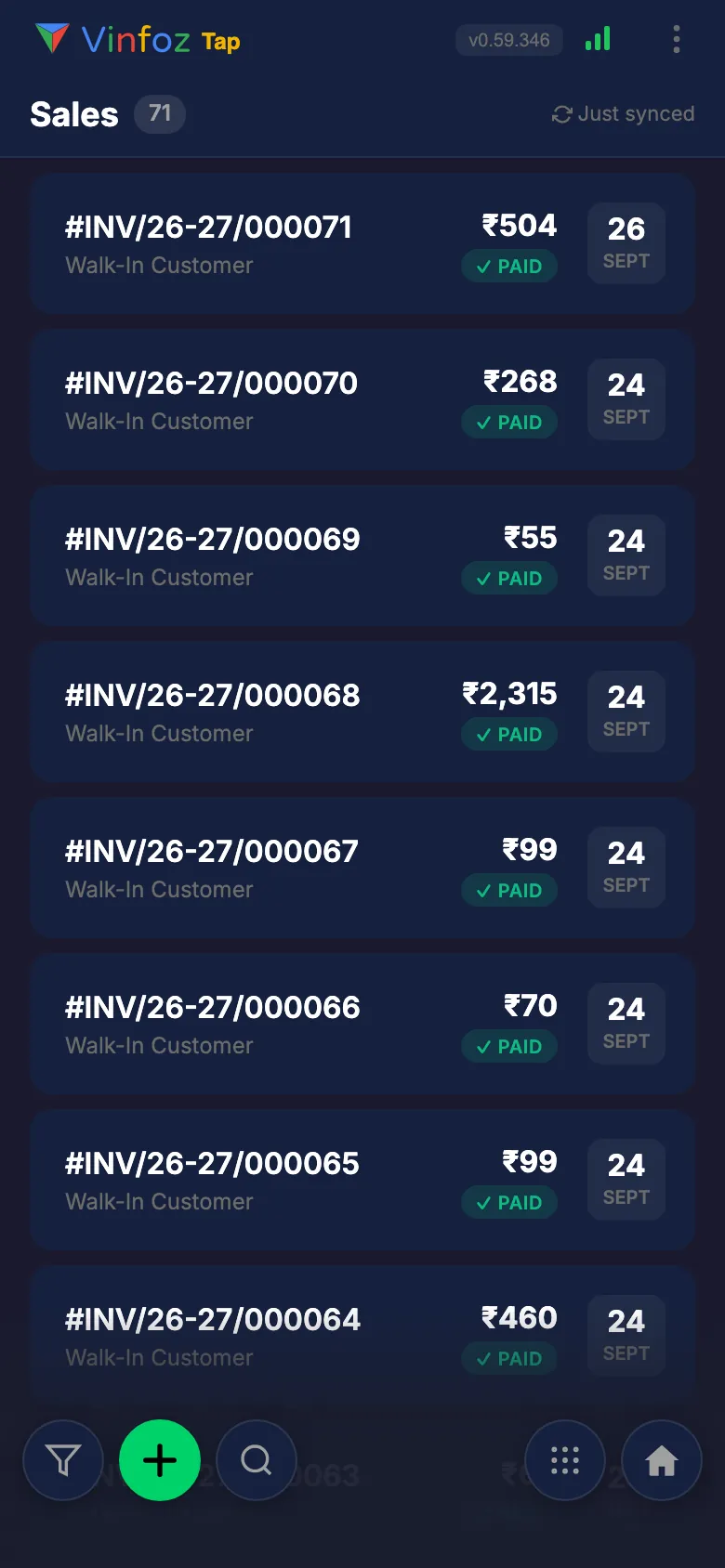
Vinfoz sales list with bill numbers, amounts and PAID status
Today's bills — amount, date, paid
One Vinfoz bill: subtotal, tax, total ₹2,315 and each item with its GST rate
One bill — subtotal, tax, every item
While you bill

You make the bill.
GST, stock and dues take care of themselves.

GST worked out

Tax on every line. The GST report is ready at month end.

Stock goes down

Every sale reduces stock — you see what is running low.

Dues remembered

Credit sales go on the customer's account.

Every screen, in sync

Bill on the phone, check sales on the computer.

Vinfoz on a tablet: item grid with categories and Save & Pay
The same app on a tablet — bigger tiles, same taps.
Made in Tamil Nadu

Billing software for every shop in Tamil Nadu

Vinfoz is built near Marthandam in Kanyakumari district, with support in Tamil and English. The same simple billing works for every kind of shop.

Supermarket & kirana billing

Fast counter billing, barcode scan, stock that counts itself down.

Textile & readymades billing

Size and colour variants, discounts per line, GST 5% and 12%.

Medical shop billing

Batch-wise stock and GST on every medicine.

Hardware & electricals billing

Thousands of small items, found by typing a few letters.

Jewellery shop billing →

Gold rate, weight, wastage and making charges on the bill.

Mobile & service shop billing →

Repair jobs, spare parts and service charges on one bill.

Salon & spa billing →

Services and products on one bill.

Auto service billing →

Service jobs, parts and labour, billed together.

Shops use Vinfoz billing software in Nagercoil, Marthandam, Kanyakumari, Tirunelveli, Thoothukudi, Madurai, Trichy, Coimbatore, Salem and Chennai, and across India. It runs in the browser on your computer, Android phone or iPhone, so there is nothing to install. Want the screens in Tamil? See Tamil billing software.

Price

Billing software price: less than a cup of tea a day.

3 days free, no card needed. When you're happy, pick a plan. No setup fee, no long contract.

Plans from
₹10/day

Billing software questions shop owners ask

Is Vinfoz really easy to use?

Yes. If you can use a calculator, you can bill on Vinfoz. Tap the item, choose how the customer paid, and print or WhatsApp the bill. There is nothing to learn before your first bill.

Can I try it free?

Yes. Register with your shop name and mobile number and start billing straight away. The first 3 days are free and no card is needed.

Do I need a computer?

No. Vinfoz works on your phone, a tablet or a computer — one account, the same data on every screen. Bill on the phone at the counter and see the day's sales on the computer at home.

Can I bill fast with a keyboard?

Yes. On a computer, type a few letters of the item and press Enter, type the quantity and press Enter. Save with a shortcut key. A full bill without touching the mouse.

Does it make GST bills?

Yes. Set the GST rate on the item once; every bill then works out the tax by itself, and the GST report is ready at the end of the month.

Can I bill in Tamil?

Yes. Type the item name the way it sounds in English and Vinfoz writes it in Tamil. Tamil and English can sit on the same bill.

Which printer do I need?

Any thermal receipt printer, or a normal A4 printer. You can also skip paper and send the bill to the customer on WhatsApp.

What is the best billing software for a small shop?

The one you will actually use at a busy counter. For a small shop that means billing in a few keystrokes, GST worked out for you, stock that updates itself, and an app that runs on the phone you already have. That is what Vinfoz is built for. Try it for 3 days and judge for yourself.

Is there a free billing app?

Vinfoz is free for the first 3 days with every feature, and no card is needed. After that, plans start from ₹10 a day.

Can I use a barcode scanner?

Yes. Switch Quick add to Barcode on the billing screen and scan. Any USB or Bluetooth barcode scanner that types like a keyboard works.

Can I give credit to customers?

Yes. Save the bill as a Credit Bill and it goes on the customer's account as a due. You can see who owes what at any time and record the payment when it comes.

How much does it cost?

Plans start from ₹10 a day. See the pricing page for what each plan includes.

Make your first bill
in the next 2 minutes.

Register with your mobile number. Add an item. Bill. That's all it takes.

Start billing free
3 days free · No card needed
Start billing free
Chat on WhatsApp