Scan to bill, scan to add new items, photo the supplier bill to fill your stock. The whole shop runs on the phone in your hand. No computer, no hand scanner.
The camera reads the barcode.
Bills, stock and reports on the phone.
New items and supplier bills come in by scan.
Every screen below is the real Vinfoz Tap app.
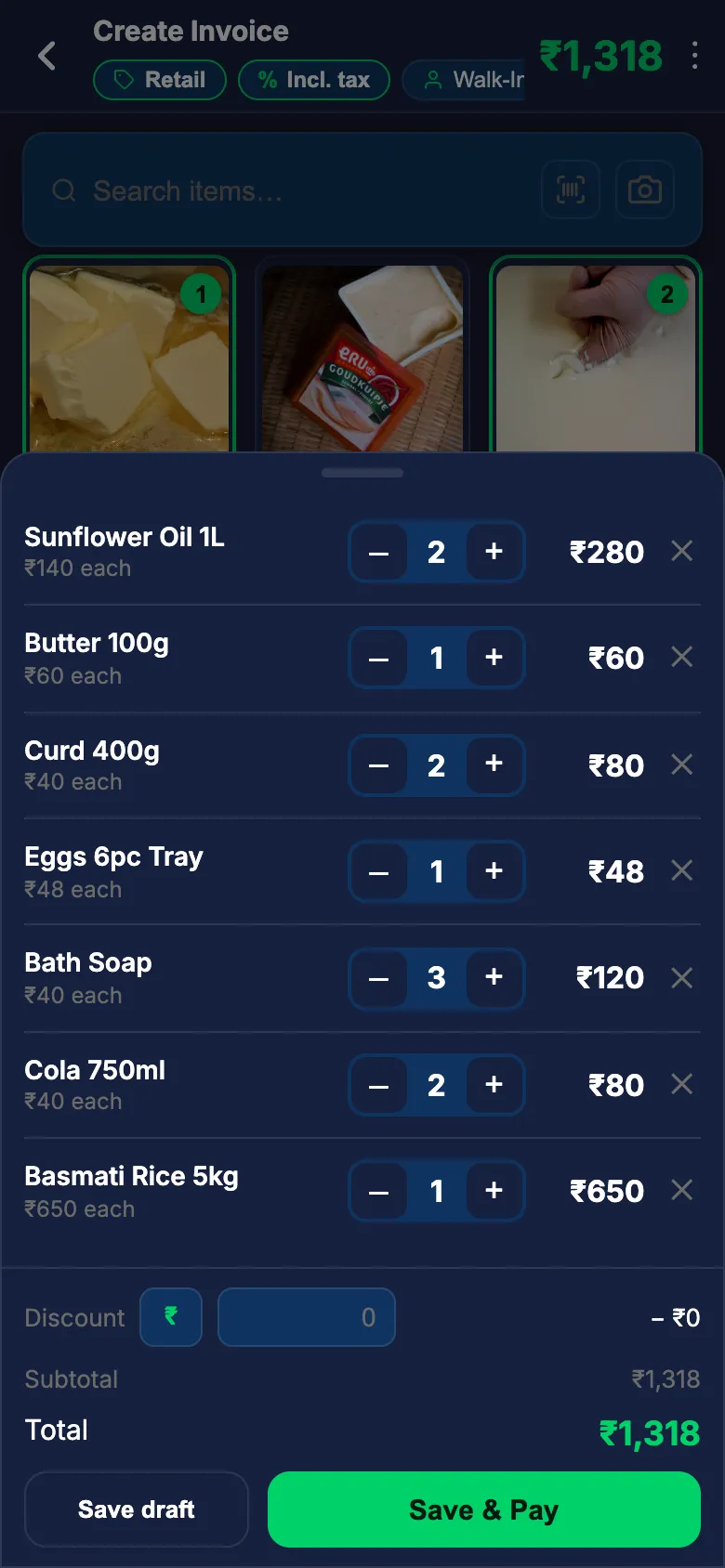
Open a bill and tap the camera. Each barcode the phone reads adds one; scan it again for two. A card shows the item with − and + to fix the quantity, and Cancel takes a wrong read back off.
The bill fills up as you scan, with the price, GST and total on every line. Add an item without a barcode by typing two letters.
Type the cash the customer gave and Vinfoz shows the change. Split between cash and GPay, or put it on the customer's account.
Share the bill straight to the customer's WhatsApp, or print a receipt.
Got a product you have never sold? Go to Items and scan it. Vinfoz Library suggests the name, MRP, GST, unit and HSN from the barcode, and the item form opens filled in.
Today's sales, collections and items sold, on the same phone, updated with every bill.
Small details that make phone scanning work all day, not just in a demo.
The camera keeps reading. Scan item after item without touching the screen.
Scanned the wrong packet? Cancel takes it back off the bill.
Turn on the flash light for a dim shelf or a shiny packet.
Packet barcodes (EAN, UPC), Code 128, Code 39, ITF, QR, and the labels Vinfoz prints.
Scan a new product and its name, MRP, GST, unit and HSN are suggested.
Photo the supplier bill and the purchase entry types itself.
3 days free, no card needed. When you're happy, pick a plan. No setup fee, no long contract.
Yes. In Vinfoz Tap, open a bill and tap the camera button. Point the phone at the barcode and the item goes on the bill. No hand scanner needed.
Android phones in Chrome and iPhones in Safari. Vinfoz Tap opens from the browser or from your home screen, with nothing to download.
The barcodes printed on packets (EAN-13, EAN-8, UPC), Code 128, Code 39, ITF and QR codes. The barcode labels you print from Vinfoz scan too.
Turn on Auto and the camera keeps reading: scan, scan, scan, and every item goes on the bill. Fix a quantity with − and + on the card. For a queue all day long, a hand scanner on a computer is still faster, and Vinfoz works with both.
Yes. The scan screen has a torch button that turns on the phone's flash light.
Go to Items and tap Scan. If the barcode is new to your shop, Vinfoz Library suggests the name, MRP, GST, unit and HSN, and the item form opens with them filled in. Check, set your price and save.
Yes. Photo the supplier bill in Vinfoz Tap and Purchase Bill Scan reads every line into a purchase for you to check and save.
No. Billing, payments, receipts, items, stock and the day's sales all work on the phone. Add a computer later on the same account if the shop grows.
No, it needs a data connection to save bills. Mobile data is enough.
Barcode scanning comes with every plan. Plans start from ₹10 a day, with the first 3 days free.
Register, scan your first product, and make your first bill with the camera.
Start billing free